How to Stop Doomscrolling When Your Thumb Has a Mind of Its Own
It's not about willpower. Feeds are built to be hard to put down. Nine small changes that make the scroll less automatic, starting tonight.


In this guide
You open the app “for one second.” Suddenly it’s 1:40 a.m., you’ve watched a stranger reorganize her pantry, and you feel weirdly worse than when you started. That’s doomscrolling, and it’s not because you have no willpower.
Feeds are built to be hard to put down. So the trick isn’t trying harder. It’s making the scroll a little less automatic.
What doomscrolling actually is
Doomscrolling means scrolling for a long time after it stopped being fun, often through bad news, drama or stuff that makes you feel bad about yourself. The key part is that you keep going even though you don’t want to.
You’re not the only one. In a 2024 Pew Research Center survey, nearly half of U.S. teens ages 13 to 17 said they’re online “almost constantly,” up from 24% a decade earlier.
Why it’s so hard to stop
- There’s no bottom. A book has a last page. A feed never ends, so your brain never gets a natural “done” moment.
- The good stuff is random. Most posts are meh, then one is hilarious. Not knowing when the next good one will come keeps you swiping.
- It fills every gap. Bored, anxious, avoiding homework, can’t sleep: the phone is always right there.
- Night makes it worse. When you’re tired, it’s harder to stop doing anything, including scrolling.
The amount matters too. A 2023 U.S. Surgeon General’s advisory describes a study where teens ages 12 to 15 who spent more than 3 hours a day on social media had double the risk of symptoms of depression and anxiety. The same advisory says 8th and 10th graders spend an average of 3.5 hours a day on it.
How to stop doomscrolling: 9 things that actually work
1. Notice the “why” before you open the app
Before you tap, ask yourself one question: “What am I looking for?” Bored, lonely, avoiding something? Even just naming it makes the scroll less automatic.
2. Move the apps off your home screen
Put them in a folder on the last page. A couple of extra swipes is enough to break the habit of opening them without thinking.
3. Set app limits
On iPhone, Screen Time lets you set App Limits. On Android, Digital Wellbeing has App timers. When the limit hits, you have to choose to keep going instead of sliding into it. Set them a little lower than what feels comfortable.
4. Charge your phone outside your bedroom
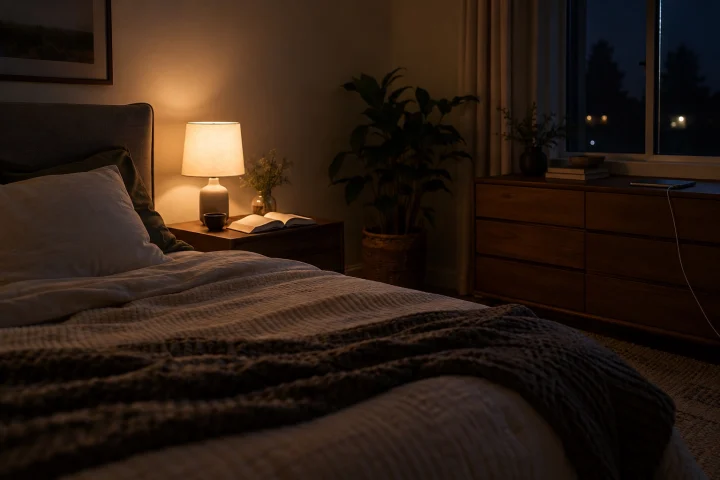
This is the single biggest one. Most late-night doomscrolling happens in bed. Use a cheap alarm clock, or at least charge the phone across the room so you’d have to get up. Keep a notebook by the bed instead, with a few journal prompts for nights when your head is loud.
5. Turn on grayscale at night
A gray screen is a lot less exciting. On iPhone, it’s in Accessibility under Display & Text Size, Color Filters. Android has a similar setting in Bedtime mode.
6. Clean up your feed
Unfollow or mute accounts that leave you feeling worse, even if you “should” follow them. Tap “not interested” on the stuff that pulls you into spirals. Your feed learns from what you do.
7. Give your hands something else
Doomscrolling is partly a hand habit. Keep a book, a sketchbook, a crochet project or a fidget where your phone usually is.
8. Set a “done” point
Since the feed won’t end, you end it: “three videos,” “until my snack is done,” or a 10-minute timer. Then close the app, don’t just put the phone down.
9. Swap the scroll for something that feels good after
Text a friend instead of watching their stories. Go outside for 10 minutes. Put on one episode instead of 90 minutes of clips. If you need ideas, try these things to do when you’re bored or some questions to ask your best friend next time you’re hanging out.
Doomscrolling and anxiety
If you’re scrolling through scary news because not knowing feels worse, you’re not alone. But reading the same bad headline 20 different ways doesn’t make you safer, it just keeps your body in stress mode. Check the news once a day from one reliable source, then close it.
And if scrolling is how you escape from how you’re feeling, the feeling deserves attention too. Our guide on how to stop caring what people think may help if comparison is part of it.
When to ask for help
If you can’t stop even when you really try, if scrolling is costing you sleep most nights, or if what you see online leaves you feeling hopeless, talk to a parent, a school counselor or a doctor. That’s not overreacting. If you’re having thoughts of hurting yourself, reach out right now.